Fish Timeline
A 15-second setup is enough to get a performance graph like this
After setup, Fish Timeline will start collecting performance data of some Place on your scene. FPS Fish automatically takes screenshots and puts them on the graph.
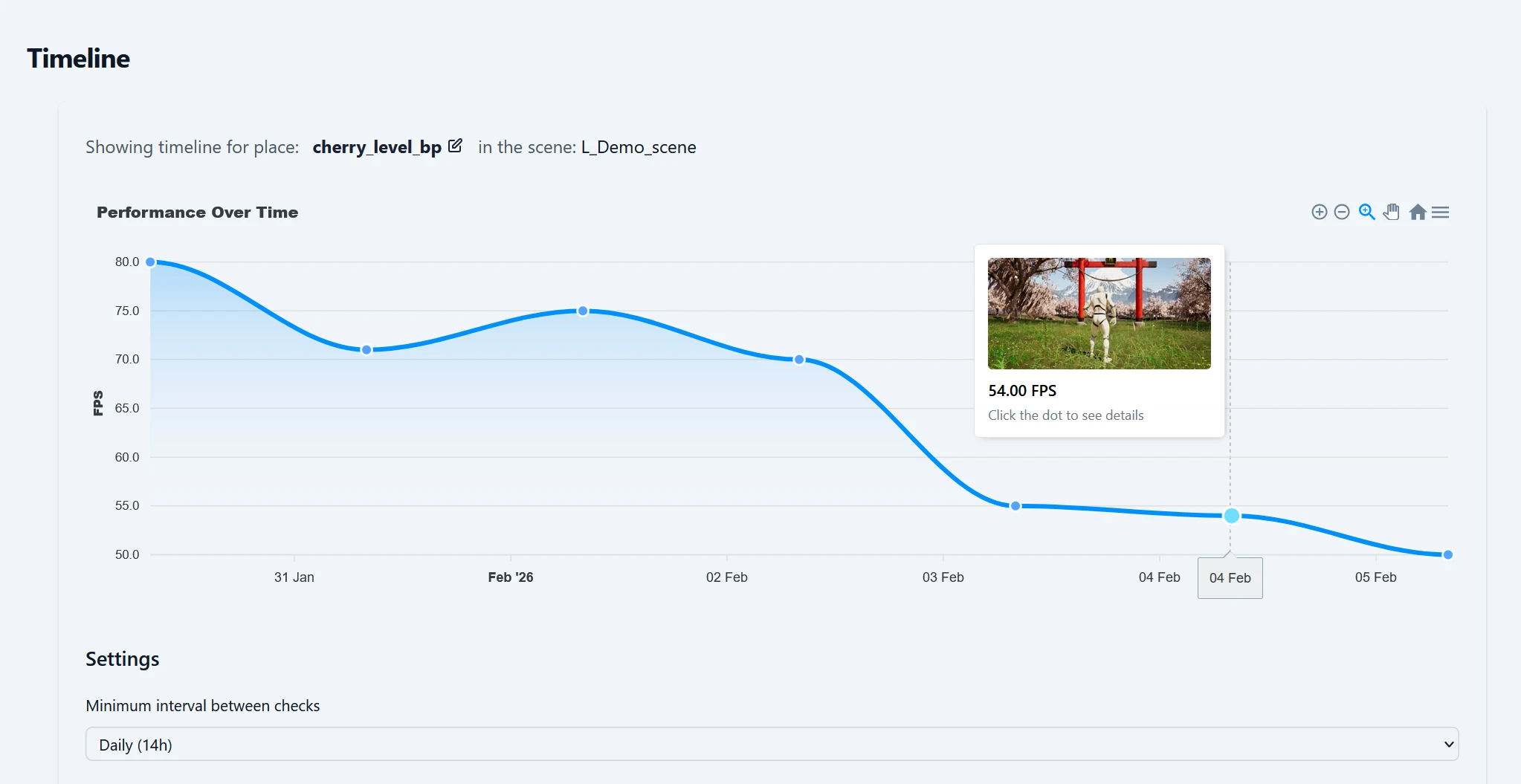
Make sure you have the newest version of the FPS Fish plugin installed
If not, download, drag & drop FPS Fish plugin into UE project's Plugin folder from here: https://app.fps.fish/register.
Add this blueprint node
Plug this node to some Actor's BeginPlay. It has an Execute Console Command fish.timeline unique_name. By default, the performance check runs daily only on packaged development builds. Data will appear on the graph next time somebody play-tests the game.
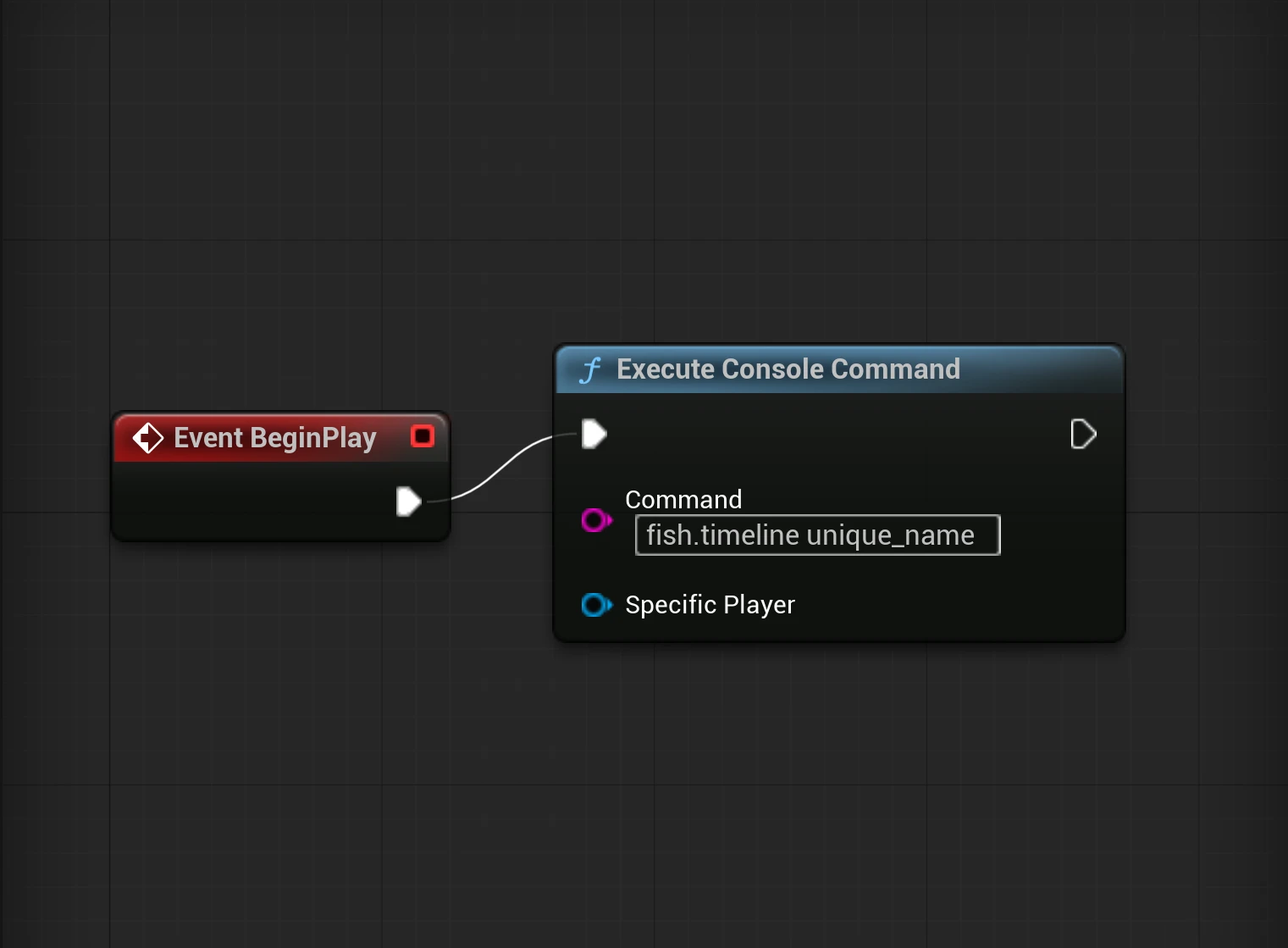
If you are plugging it to Level Blueprint's BeginPlay, make sure to add a couple of seconds of Delay before.
Done!
This is enough to get started. Check below for more advanced setups.
What is Place?
Place is part of your scene that includes automatic performance tests. You define it by passing a unique identifier name to fish.timeline console command.
You can also set up your Place to be:
- A scene Just plug
fish.timeline unique_nameonBeginPlay - An area of the scene. Execute
fish.timeline different_unique_nameon entering a bounding box, or when the player advances to a new room, or area. - A specific hardware - add
fish.timeline your_unique_place_namebehind an if statement that checks for graphics card.
The performance test graph is shown for the Place.
Creating the place
A place will be created automatically, some time after you define it, as done in the previous steps. If you want it to appear in the dashboard faster (for example, to change place settings), you can just call fish.timeline place_name in your Unreal console. You can open the console by pressing ~ key.
Changing place settings
There are a couple of options. You can:
Modify check interval
If you want to run checks less often or more frequently, you can adjust the schedule here.
Allow in editor checks
By default, checks run only in packaged development builds. If you allow runs in the editor, performance checks will occur there as well.
Allow full analysis
By default, performance checks cost only 1 token. There is an option to run those checks without the signature feature - a full, simplified profiler. This provides scene tips, identifies textures that degrade performance, and more. However, the full analysis performance checks are more expensive - they cost 10 tokens per run.
Limitations
If you need to do performance checks on platforms other than Windows, contact us at contact@fpsfish.com. We can provide you with a suitable version and binaries of the FPS Fish plugin. By default, we distribute only Windows binaries.